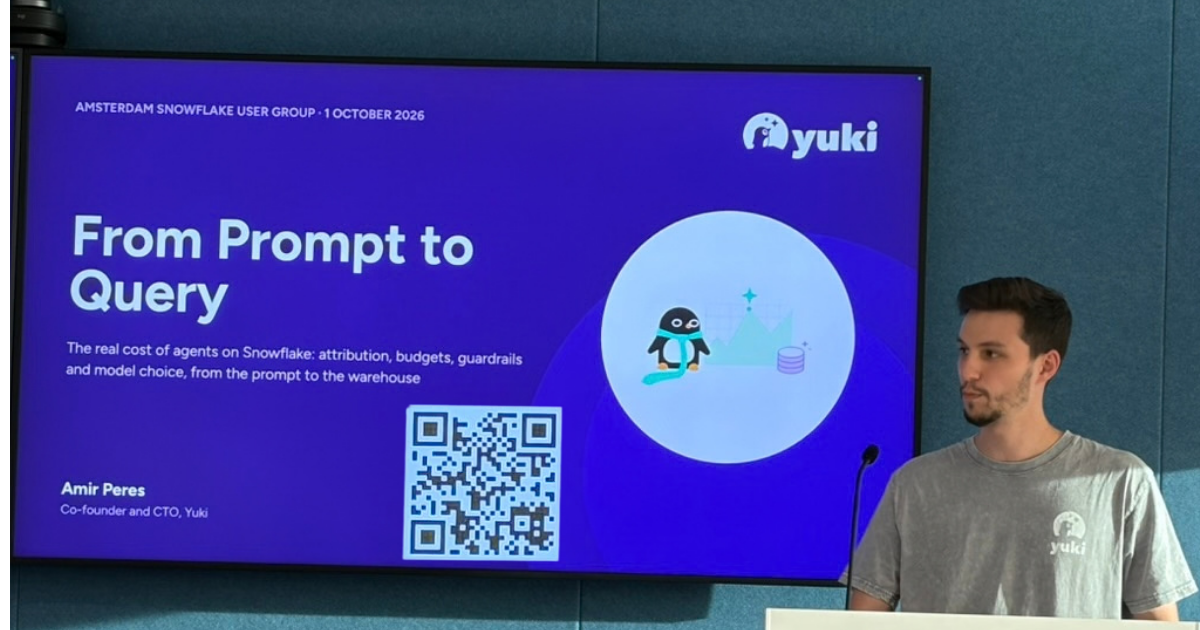
On 1 October 2026 the Snowflake User Group Netherlands met at the Snowflake office in Amsterdam. Amir Peres, CTO and co-founder of Yuki, gave the session From Prompt to Query: Understanding the Real Cost of Agents on Snowflake.
A dashboard runs the same query every morning. An agent takes a different path every run. One prompt becomes spend in Cortex inference, Cortex Search, AI functions, and the warehouses that eventually run the SQL. Snowflake still has no single view that says what that interaction cost, or who was behind it.
This is what stayed with the room.
Why the old chargeback model breaks
BI and pipelines are forecastable. You know the workload, the schedule, and roughly which warehouse size fits. An agent on the same account is a different product. You do not know the question, how hard it will be, or whether the person asking it would have written that SQL.
Amir walked through one prompt as a chain:
- An orchestration model plans the work, calls tools, and often replans.
- Cortex Analyst turns the question into SQL through the semantic layer, and that SQL runs on a warehouse.
- Cortex Search serves retrieval from its own index.
- AI functions add inference on top of the scan. A single query that calls something like
AI_COMPLETEonce per row, across hundreds of thousands of rows, is enough to blow a budget. - Under all of that sit warehouse compute, search indexes, storage, cloud services, and cross-region inference.
Ask what Cortex costs, and the honest answer includes every line. Tokens are the part everyone talks about. Compute is where an agent gets expensive. Tokens are also the part a data team has the least leverage on: you can switch models and tighten prompts, and Snowflake’s own pricing will keep moving. The warehouse, the semantic layer, and the limits in front of users are where you can still intervene.
The same prompt is not deterministic. Run it again and the plan can change. Ship a new model or a new semantic layer and the SQL changes with it. A later run may call an entirely different Snowflake capability. A chargeback model built for “this dashboard, this warehouse, this department” cannot see that session.
Amir named the prerequisite and left it there. A semantic layer has to be good enough for the questions people actually ask. The rest of the evening assumed that work is already underway.
Reconstructing the path from prompt to query
The telemetry exists. It is spread across the account usage views for AI observability, Cortex agent usage, traces and spans, and query history, plus the metering views for credits. Those views do not share one key, and Snowflake keeps adding and retiring them.
The gap Amir spent the most time on: an agent plan does not carry the query ID of the SQL it generates. You can see the session. You cannot yet join it cleanly to query history.
Three ways to close it, in the order Amir trusts them:
- Time window. Join on user and timestamp, and read the result as a session. Useful at a high level. Weak when one person fires several queries at once.
- Query hash. A tighter match when the SQL is stable enough to line up, and a cheaper join.
- Query tags on every step. The durable fix. Every agent version you release has to emit tags, on every step, or the chain breaks the day you ship. That holds if agents leave through Git, as a version you can roll back when the answers change.
Amir also asked the room to copy those views into their own tables. Account usage is lagged and slow to query, and you will want the history after the source view moves. Build facts on the copy, put them in the BI tool you already run, and watch them there.
Two lags Amir told people to design around. Snowflake’s Account Usage views are not equally fresh. CORTEX_AGENT_USAGE_HISTORY itself can lag by up to an hour, while its SQL cost-attribution fields can arrive as much as eight hours later. Other Account Usage views typically trail by tens of minutes to a few hours. That is long enough for a user to do real damage before a budget dashboard catches up. The credit picture trailed by about an hour. If you are going to enforce a budget, know which number is late.
For credits and token usage, use the Snowflake usage views as the source of truth; trace delivery is best effort and can under-report cost.
Once the chain is joined, credits are one column. The others Amir wants on the same page:
- Latency from the start of the prompt to the end of the session, split between planning and warehouse time.
- P50, P95 and P99, for runtime and for failures.
- Steps in the plan, steps that failed, and steps that appear or disappear after a model change.
- Tool calls. A small model will sometimes grab tools that have nothing to do with the question.
- Queries per session. One query is a healthy answer. Ten or twenty usually means a retry loop.
- Tokens and wall-clock time as proxies for a bad answer. Nothing in these views labels an answer as correct. A ten-minute session, or a session that burns tokens in a loop, is a defect even when it returns text.
Agent waste belongs on that dashboard too. SQL that fails after several minutes because the warehouse ran out of memory. Retries. Replanning, which spends tokens before it spends warehouse credits. Warehouses sized for the hardest question and then used for SUM(revenue).
The decisions that actually move cost and latency
Model choice is a cost-per-answer decision. A small model is cheaper per token and can still cost more. It fails plans, loops, and calls extra tools. A larger model that finishes in fewer steps can be the cheap one. Read the token price next to failure rate, step count, latency, and cost per session that looks successful. Keep a set of real prompts, including the slow ones, and rerun them when you change a model. Do the same when a user complains: take their prompt, run it across a few models, and separate “the agent was wrong” from “the question was underspecified.”
Warehouse routing is the other lever. “What is my revenue?” and “why did revenue drop?” cannot share one size. The first is a small aggregation. The second is a plan, a result, and then many follow-up queries. Send everything to one warehouse if you need a simple place to see what fails. Then split by the shape of the question. Adaptive warehouses are a sound way to learn that shape in development. In production, only you know the SLA. Thirty seconds can be fine for an internal analyst. A customer-facing agent may need an answer in a couple of seconds, on a warehouse you chose for that promise. An adaptive warehouse will not read that requirement.
Cortex Search has the same shape of surprise. It is easy to land a large pile of PDFs in Snowflake and let search do the work. The index and the serving cost become a real line once the whole company can hit them.
Put a ceiling up before the first complaint. Set a token budget on the agent. Start high, high enough that you learn real behaviour and still hit a wall before the month is gone. Watch the share of sessions that die on the limit. If half of them die, raise the limit, change the model, or fix the semantic layer. Put resource monitors on the warehouses. Plenty of teams in the room still run classic workloads without them. Alerts are the right first step, ahead of a hard stop, while you are learning the pattern. A weekly ceiling beats a monthly one. Sunday and Monday are different workloads, and December is a different company if you are in commerce.
Budgets belong to teams. Per-user quotas work at Yuki’s size, about thirty people. They stop making sense at a few hundred users. One person in each group becomes the power user and consumes most of the interesting work. Attribute spend to a department and let that department carry it. The data platform team should not hold the whole line because the rest of the company discovered the agent.
Power users are the exception. Give them a budget of their own, alert when they hit it, and look at the plan before you cut them off. Their questions are often the ones worth paying for, and their feedback is how the agent improves. An overage pool a manager can grant, even a small request portal on Snowpark Container Services, is more useful than a silent block. Guardrails stop the nonsense question. They also stop the expensive question that was worth asking. A budget cannot tell those apart. That is the case for a control point in front of the agents: something that sees the prompt, then chooses the model, the warehouse, the agent version, or a refusal.
From dev to production
The pattern in the room was familiar. It works in development. A pilot of about fifty users is about to leave UAT. The business has a number, passed down from a manager’s manager, and the governance is still open. The leverage exists before go-live. After that, the audience is the company.
Amir’s production list:
- Version the agent. Git, a release, a rollback. When answers change on a Tuesday, you want to know whether it was the model, the semantic layer, or a missing budget.
- Canary the release. Amir sends about 20% of traffic to the new agent and model and leaves 80% on the current one, and promotes when the metrics hold. That requires a backend. The Snowflake UI has no switch for it yet. The room tested the workarounds out loud. Grant a role the new version and the chat history breaks. Hide the routing behind stored procedures that call a specific agent, and you can do it, at the cost of the step-level trace. An external UI, or a client that lets the user pick an agent by name, is workable and still a workaround. Someone in the room said a routing preview and a hands-on lab are already circulating, that the idea was rumored at Summit, and that a clean product path is still ahead. Until that lands, the control point sits in your backend or in a master agent you are willing to maintain.
- Use automatic choices while you are learning. Adaptive warehouses and automatic model selection are how you discover the workload. In production Amir pins both. Automatic selection changes the answer, the latency, and the bill together.
- Review it every week. Cost, latency, failures, who used it, which prompts burned the budget. Adjust the limits for the week ahead, including known peaks. After a few calm weeks the cadence can stretch. A month is too slow while the agent is new. Amir would rather automate the daily ceiling than stare at the same dashboard ten times a day.
- Open the doors behind a high ceiling. A few teams had already run unlimited, on purpose, to see what people would ask. Amir's version of that experiment is a very high token and credit cap, so the outlier still hits a wall.
The control layer Amir kept returning to does attribution, policy, routing, and observability for each session, team, and person. Policy, in Amir's words, is the budget plus the latency you are willing to promise. Yuki sells that layer across query engines. Amir was explicit that a Snowflake team can build the version they need, and he asked anyone who does to tell him what they find. The product story was the last few minutes. The operating model was the rest of the hour.
Amir closed the talk on the job itself. Shipping this well means being the analyst, the data engineer, the backend engineer, and the person who watches the model, in the same week. The weekly review is how a data team picks up a habit that software teams already treat as normal.
What the room added
The conversation after the slides was as useful as the slides.
People ask the question you did not model. Teams heading out of pilot expect more users than their BI estate, because an agent is usable by people who would never open a dashboard, and because one curious session can go deep and get expensive. Another team, with a few thousand employees, sees a stable split. Engineers who moved into leadership are excellent power users, and they are about a tenth of the audience. Finance, HR, and other leaders ask the question they would ask a junior analyst, then keep drilling when the first answer is thin. The agent does not come back for a filter. It keeps going. Trust drops the same afternoon.
Training moves the bill. One person in the room had seen query spend fall by about 60% after teaching people how to ask: name the time range, the subject, and the segment. Usage went up afterwards. Natural language is the promise. Specificity is the cost control. The same discussion landed on long-lived chats. People keep a single thread open for days, and the context cost is invisible to them.
Hand them the dashboard they already trust, written as a prompt. Amir’s suggestion for leaders who are new to this: look at the pages they actually open, and give them a few prompts that match those pages. Expecting someone to open a chat and invent a good question is a high bar. Verified queries help, with a warning from the room. Watch the agent miss first, then add verified queries on the specific fields where it goes astray. Put the semantic layer in before that set gets large. A long list of verified queries can overfit the agent to last week’s questions. Next week’s business user will ask something else in the same domain. Running with no semantic layer at all is a useful scare in a lab. It is a bad production plan.
You often cannot see the prompt. Teams that put Claude, or another assistant, in front of Cortex can see the SQL in Snowflake and still have no record of the question. That is the attribution gap in production form. Without the prompt, you cannot coach the person, and you cannot tell a bad plan from a bad question. Instructions on the agent help at the edge: ask a clarifying question before a rabbit hole, refuse what sits outside the domain, and keep examples of questions that are in scope and questions that are not. One team already does this when a question lands on the wrong domain agent.
Euros change the conversation. A token count does not. “This question cost €20” gets a manager’s attention. A large token number does not. Team budgets create peer pressure inside the group that owns the spend, and they feel like a trap if you spring them on people who were told the tool was free to try. The practical version from the room: use the number to see who needs enablement, and let the power users keep going. Mapping the teams is its own project. Single sign-on will onboard a person quickly. It will not tell you that Finance should carry a different budget from HR, because the data and the questions are different sizes.
The analyst is still in the loop. Ambiguous questions used to land on a DBA, then on an analyst, then on a dashboard someone filtered wrong. An agent that always produces an answer is a faster version of that failure. A semantic view can at least return the definition behind “profit” or “member,” which a dashboard page rarely does. Someone still has to decide what the definition is. Models that answer by debating each other can improve that product. They are too slow and too expensive to put in front of a user. Run them behind the scenes, on prompts you have already logged.
If the agent is still in pilot
- Join what you can already join: user, time, query hash, and query tags on every step you ship.
- Put cost next to P50, P95 and P99, plus failure rate, steps, tool calls, and queries per session.
- Set a high token cap, and a warehouse monitor that alerts.
- Pin a model and a warehouse size once you know the SLA. Keep adaptive sizing for development.
- Release the next version to a slice of traffic, and review the numbers every week.
That is enough to leave development with the budget and the SLA still in the room.
Thank you to Amir for a session that stayed on the operational problems, to everyone who argued with it, and to Snowflake for hosting us on Gustav Mahlerlaan.
Transparency note: This article was written from a recording of the presentation and subsequent discussion, with AI assistance used for structuring and editorial review.